






Tactical Headset and PTT Setup for Helmet Systems

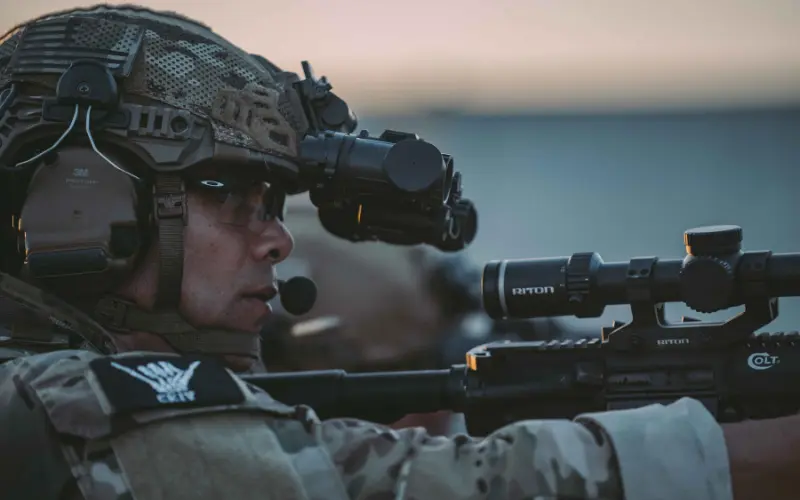
Ask anyone who has worked a real callout or a long training day what failed first, and a surprising number will say comms. Not the radio itself, but everything around it: a cable that snagged on a door frame, a PTT button buried under a pouch, a headset that pushed the helmet off-center or left their ears ringing after the first string of fire.
A tactical headset and a push-to-talk (PTT) unit solve those problems when they are set up properly. Together they link your radio to your ears and your hands, protect your hearing and keep you talking while you move. They also have to fit cleanly under or onto your ballistic helmet without fighting the rest of your head-borne gear.
This guide covers how a headset, PTT and radio work as one system, which headset features matter, how to mount everything on a helmet, and how to place your radio and cables so your comms stay reliable from the first minute to the last.
Start With a Comms-Ready Helmet
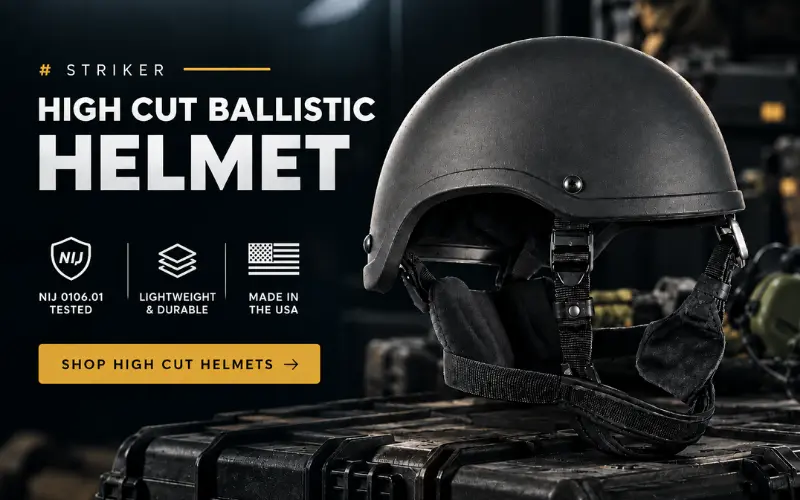
A high cut shell leaves room over the ears for headset cups. The Chase Tactical STRIKER Level IIIA ACH High Cut is tested to NIJ 0106.01 and made in the USA.
How a Tactical Comms System Fits Together
Most team communication setups use the same three parts linked by cables. Knowing what each part does makes it much easier to choose components that work together instead of against each other.
The Radio
The radio sends and receives the signal. It usually rides on your plate carrier or belt in a dedicated pouch. Our guide to the two-way radio covers how these radios keep teams connected when phones and other networks fail, and a written emergency communication plan makes sure everyone knows which channel to use.
The Headset
The headset carries radio audio to your ears and carries your voice to the radio through a microphone. Tactical headsets usually double as hearing protection, which is why the ear cups matter as much as the audio quality.
The PTT Unit
The PTT is the button you press to transmit. It sits between the radio cable and the headset cable and is usually mounted on the chest or shoulder so you can reach it without moving your hand far from your weapon. The basic concept is explained on Wikipedia’s push-to-talk page.
How the Signal Flows
When you press the PTT, the radio switches to transmit and sends your voice from the headset microphone. When you let go, the radio switches back to receive and plays incoming traffic through the headset. Every connection along that path, from radio plug to PTT to headset, is a point that has to be secure, matched and protected.
Types of Tactical Headsets
Headsets come in several styles, and each one suits different roles and helmet setups.
Over-Ear Active Headsets
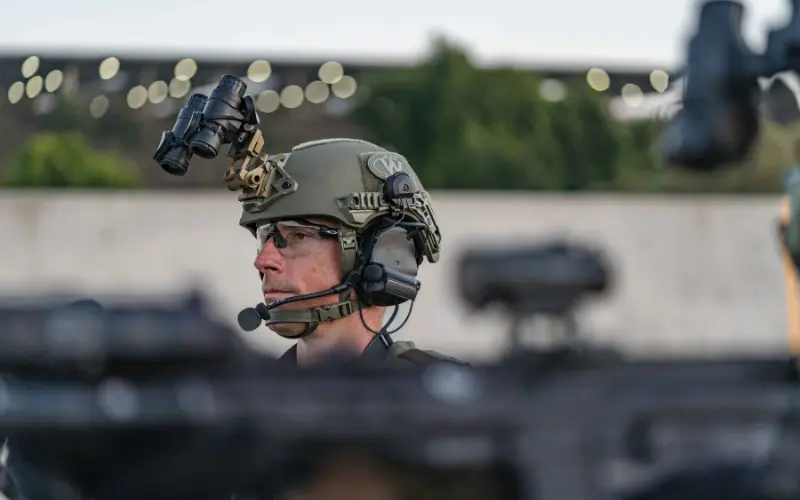
Over-ear cups surround the ear and give the strongest passive noise reduction, with electronics added for hearing protection and radio audio. They are simple to put on and easy to use with gloves. The trade-off is bulk, heat and the need for a helmet that leaves room over the ears.
In-Ear Systems
In-ear systems place a small earpiece in the ear canal, often with a tip that seals like an earplug. They are light, cool and fit under almost any helmet. They need a good fit to protect well, and some users find them less comfortable over very long shifts.
Bone Conduction and Throat Microphones
Some specialist systems use bone conduction to send sound through the skull, or throat microphones that pick up speech from the neck. These can work well in very loud environments or with gas masks, but they are less common for general patrol and team use.
What to Look for in a Tactical Headset
Not every headset suits every role. The features below separate a headset built for tactical work from a basic radio earpiece.
Electronic Hearing Protection
Tactical headsets use active hearing protection. Microphones on the ear cups pass through normal sounds like voices and footsteps, and the electronics shut down loud impulse noise such as gunfire in a fraction of a second. You keep situational awareness without exposing your ears to damaging noise. OSHA’s noise guidance explains why repeated exposure to loud sound causes lasting hearing loss.
Noise Reduction Rating
The noise reduction rating, or NRR, shows how much sound the headset blocks when it is not actively passing sound through. A higher NRR means more protection on a loud range or around vehicles and aircraft. Remember that a poor fit, such as glasses arms breaking the seal, lowers real-world protection below the printed number.
Microphone Type and Placement
Most headsets use a boom microphone that sits close to the mouth. A noise-cancelling microphone filters out wind, engines and gunfire so your voice comes through clearly. Make sure the boom can be positioned on either side to match your shooting side and helmet setup.
Connector Compatibility
Headsets, PTTs and radios must use matching connectors. Before buying, check what connector your radio uses and choose a PTT cable built for it. Mismatched connectors are one of the most common reasons a new setup does not work out of the box.
Single or Dual Comm
A single comm headset links to one radio. A dual comm headset links to two, such as a team radio and a command radio, with a separate PTT button for each. Pick dual comm only if your role actually needs two networks, because it adds cables, weight and complexity.
Durability, Water Resistance and Battery
Look for a headset rated for rain and sweat, with sealed electronics and replaceable ear cushions. Check battery life and battery type, and carry spares. Gel ear cushions are more comfortable and seal better than foam over long wear.
Keep Your Radio Secure and Reachable
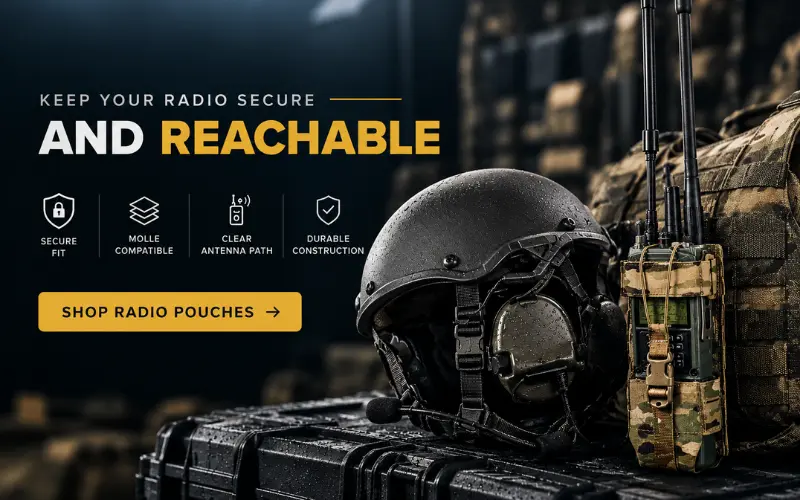
A radio that shifts or snags breaks your comms when you need them most. Chase Tactical radio pouches lock your radio onto MOLLE and keep the antenna and cable clear.
Mounting a Headset on Your Helmet
How you attach the headset decides how comfortable it is and how well it works with the rest of your head-borne gear. There are two main methods, and the right one depends on your helmet.
Headband Mount
The headset sits on its own band over or behind your head, and the helmet goes on top. This works with any helmet and is quick to set up. The downside is that the band can press against the helmet pads and create hot spots, and the helmet may sit higher than intended.
Helmet Rail Mount
Rail adapters clip the ear cups straight onto the side rails of the helmet. The cups can swing up when you do not need them, there is no band under the shell, and the helmet sits exactly where it should. A high cut helmet is the best match for this method because its shape leaves clear room over the ears.
Fit and Adjustment Tips
Set the helmet harness first, then adjust the headset so the cups seal fully around the ears without pressing the helmet forward. Check that the boom microphone sits just off the corner of your mouth. Then move, turn your head and drop into a kneeling position to confirm nothing shifts.
Balancing the Load
Rail-mounted cups, a light, a camera and an optic all add weight to the helmet. Keep the heaviest items low and centered, add a counterweight if the front gets heavy, and check fit after every new accessory. If you are building a full head-borne system, our guide to helmet accessories shows what else typically shares those rails.
Placing Your Radio and Routing Cables
A clean cable path keeps your comms working and stops snags on doors, vehicles and brush. Here is how to place each piece.
Radio Pouch Placement
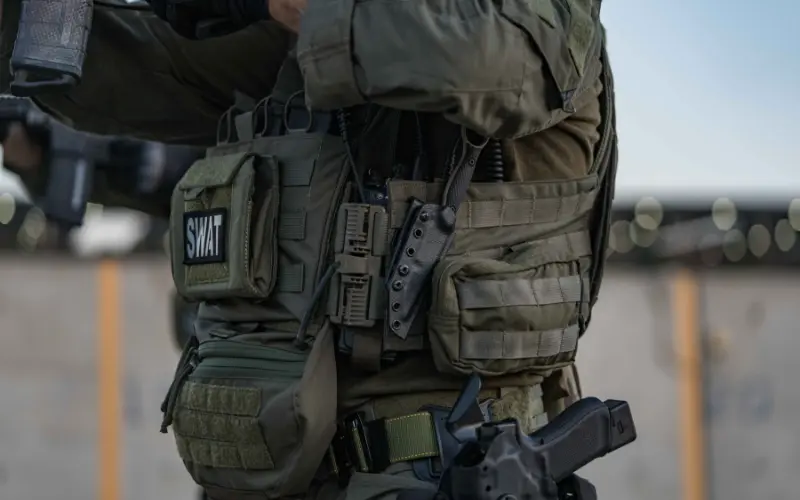
Most users mount the radio on the side or back of the carrier, on the support-hand side. This keeps the front clear for magazines and medical gear and keeps the antenna away from your face. Our guide to radio pouches explains common placements, and the MOLLE radio pouch guide covers attaching it securely to webbing.
PTT Placement
Mount the PTT high on the chest or on the shoulder strap, where your hand can reach it in one movement. Test it with gloves on, while holding your weapon in a ready position and while prone, so you know you can reach it in every position you train in.
Cable Routing
Run cables along the carrier under the shoulder straps and secure them every few inches with elastic, cable clips or hook and loop. Leave a little slack at the neck so you can turn your head freely, but not so much that a loop can catch. If you are still working out where everything goes, our guides on how to set up a plate carrier and how to use your MOLLE real estate help you plan space before you add comms.
Testing and Maintaining Your Comms Setup
A comms kit you have never tested under load is a guess. Build these checks into your routine.
Before Every Shift or Training Day
- Check batteries in the headset and radio
- Confirm the radio is on the right channel
- Run a radio check with a teammate
- Press the PTT once to confirm transmit
- Inspect cables for cuts, kinks and loose plugs
Regular Maintenance
Wipe ear cushions after use and replace them when they crack or lose their seal. Keep connectors clean and dry, and store the headset with the batteries removed if it will sit unused for a long time.
Common Mistakes to Avoid
These errors cause most comms failures in the field.
- Buying a headset, PTT and radio that do not use matching connectors
- Mounting the PTT where it is blocked by pouches or a slung weapon
- Leaving loose cable loops that snag on doors and vehicles
- Wearing thick glasses arms that break the ear cup seal
- Adding dual comm when one radio is all the role needs
- Never testing the setup while moving, kneeling and prone
Conclusion
A tactical headset and PTT turn your radio into a hands-free, ear-safe communication system. Choose a headset with electronic hearing protection and a good noise rating, match every connector to your radio, and add dual comm only if you need it. Mount the headset on a helmet built for it, place the radio on your support side, route every cable tight and test the whole setup under load. Build it once, check it every time, and your comms will work when it counts.
Frequently Asked Questions
What is a tactical headset?
A tactical headset links your radio to your ears and mouth while also protecting your hearing. Most use electronic hearing protection that blocks loud noise but passes normal sounds through.
What does a PTT do?
A PTT, or push-to-talk unit, is the button you press to transmit on the radio. It connects the radio and headset and is usually mounted on the chest or shoulder.
Can I wear a tactical headset under any helmet?
In-ear systems and slim headband headsets fit under most helmets. Larger over-ear cups work best with a high cut helmet or a rail mount.
What is the difference between single and dual comm?
Single comm connects to one radio. Dual comm connects to two radios and gives you a separate PTT button for each one.
Where should I mount my radio on a plate carrier?
Most users place it on the side or back of the carrier on the support-hand side. This keeps the front free for magazines and medical gear.
What does NRR mean on a headset?
NRR is the noise reduction rating. It shows how much sound the headset blocks, and a higher number means more protection when the fit is correct.
Is a helmet rail mount better than a headband?
A rail mount removes the band from under the helmet and lets you flip the cups up. A headband works with any helmet but can create pressure points over long wear.
How do I stop headset cables from snagging?
Route cables under the shoulder straps, secure them every few inches and leave only a small amount of slack at the neck.